Early information about Samsung’s next major Galaxy software release, One UI 8.5, has been trickling out for a while, but now a full changelog has appeared, spelling out everything that’s new.
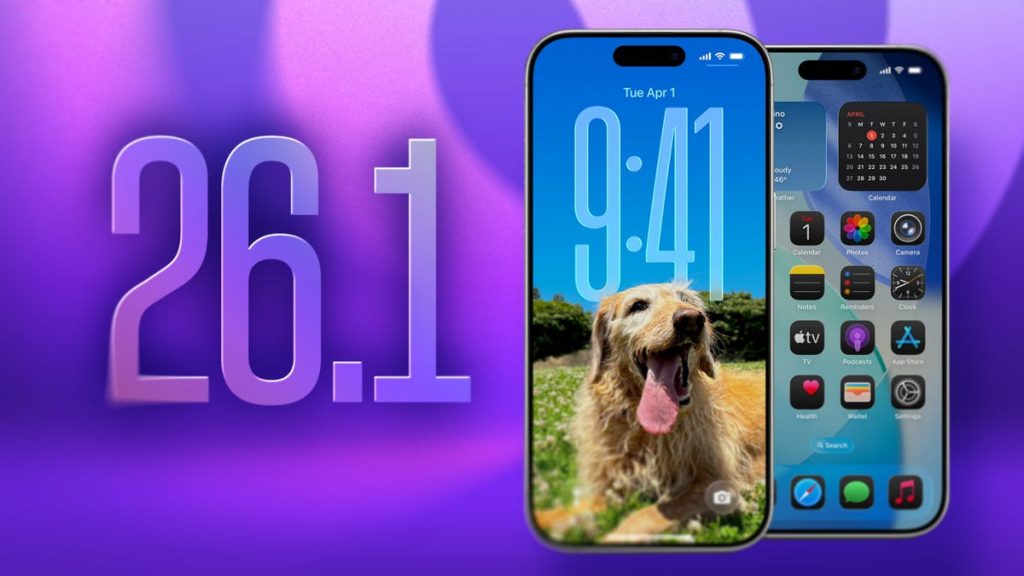
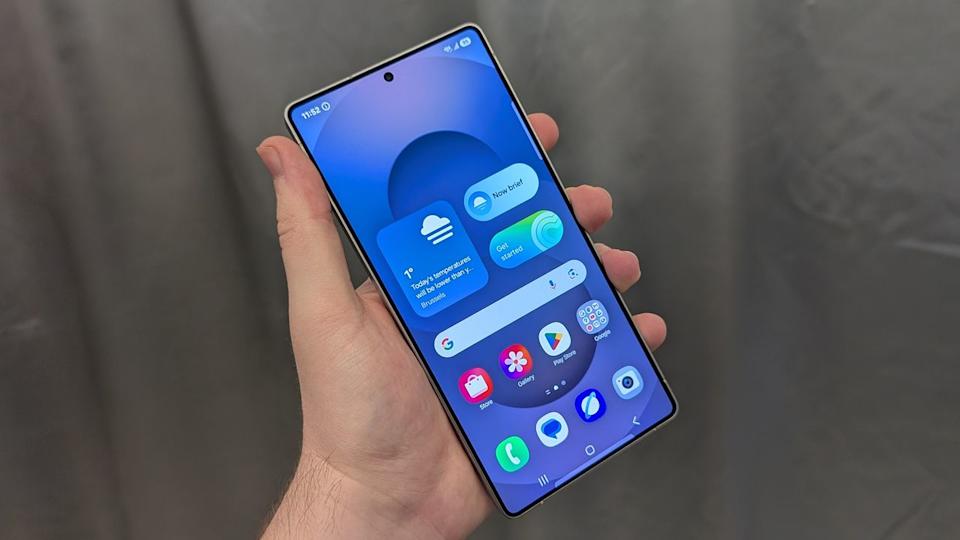
Visually, One UI 8.5 looks largely in line with One UI 8.0, but with more elements inspired by the recent “Liquid Glass” redesign. Galaxy Fold models are also set to adopt the same split-pane notification shade and Quick Settings layout that previously arrived on Galaxy tablets with One UI 8.
Beyond the design tweaks, there’s a long list of new features and refinements.
A complete changelog for One UI 8.5 has surfaced, detailing every adjustment coming with the update. Highlights include a major revamp for Bixby, upgrades to Samsung Health, Quick Share improvements, and more.
Samsung is expected to roll out One UI 8.5 early next year alongside the Galaxy S26 series.
Here’s the full breakdown of what’s new.
Galaxy AI
Continuous image generation
- Keep creating without interruption. Photo Assist now lets you generate AI images using multiple Photo Assist tools in a single flow, without saving each step separately. When you’re finished, you can review everything in your creation history and pick the versions you like best.
Bixby
Smarter device control
- Speak naturally and let Bixby figure it out. The assistant is better at finding the setting or feature you want, even if you don’t use the exact name or command. Just describe what you need and Bixby will handle it.
Ask anything, anytime
- Whether you want a quick response or a deeper explanation, you can ask Bixby for instant answers. There’s no need to bounce between apps or perform multiple searches.
Conversation history
- Checking past chats with Bixby is simpler than before. You can now open a side panel in the Bixby app to access your conversation history.
Connectivity
Storage share
- Reach your files from almost anywhere. Content stored on your other Samsung phones, tablets, and PCs appears in the My Files app on your phone, and you can also browse your phone’s files from other Samsung devices, including your TV.
Quickly connect to Smart View devices
- Mirror your phone more quickly. You can add a shortcut on the Home screen that instantly connects your phone’s screen to a TV or other supported display.
Enhanced Auracast features
- Listening to and broadcasting audio with Auracast is more straightforward. Both transmit and receive options are grouped together under the Audio broadcast menu in Settings.
Voice broadcasts
- Share more than just media audio through Auracast. You can now broadcast your voice using the phone’s built-in microphone so people nearby can hear you.
Battery and power
Revamped battery info
- Get a clearer view of your battery habits. The redesigned Battery settings page makes it easier to see remaining time, charging status, and daily usage over the past seven days.
Improved Power saving
- Make each charge last longer. Power saving now offers two modes: Standard, for moderate savings with adjustable limits, and Maximum, which disables non-essential features to stretch your battery life as far as possible.
Accessibility
Easily control Bluetooth hearing aids
- Access Bluetooth hearing aid controls directly from the Accessibility shortcut. A pop-up lets you change hearing programs, toggle Ambient sound, and manage other key options.
Control magnification with mouse or keyboard
- Keep magnified content where you need it. You can make the magnified area follow the cursor while typing, move with keyboard focus, or shift as you push the pointer toward the screen edges when using a mouse.
Dwell action and Corner actions
- The former “Auto action after pointer stops” feature is now split into two. Dwell action lets you assign custom actions when the mouse stops moving for a set time, while Corner actions let each screen corner trigger a different action.
Even more improvements
More customizable quick panel
- Arrange your quick settings exactly how you want. You can now add, remove, reorder, and reorganize controls in the quick panel more freely.
Early alerts for reminders
- Get notified before a reminder is due so important tasks don’t slip by. For each reminder, you can choose how early you want to receive an alert.
Partial screen recording
- Capture only what matters. You can now select a specific portion of the display to record instead of the entire screen.
Calculator nudges
- Spend less time entering data. When you open Calculator, numbers and formulas copied to your clipboard are suggested so you can insert them with a single tap.
Keep window sizes in DeX
- DeX now remembers how your app windows were arranged. When you reopen an app, it appears in the same size and position as before.
Clock
Weather alarm backgrounds
- Wake up with weather at a glance. Your alarm screen can now show the current conditions as a background when the alarm rings, helping you prepare for the day.
Time zone converter
- Compare global times more easily. A new slider in the Clock app lets you quickly check time differences between cities around the world.
Samsung Health
Enhanced weekly reports
- See a more complete summary of your week. Weekly Health reports now include information from your medication tracking and mindfulness sessions.
Upgraded sharing experience
- Share your workouts in richer ways. Combine exercise stats with photos from your session to create posts ready for social media.
Start meditations from your watch
- Find calm directly from your wrist. You can launch favorite or recommended meditation sessions from your Galaxy Watch without needing your phone.
Antioxidant measurements from your watch
- Check your antioxidant levels whenever you like. You can take measurements directly from a Galaxy Watch, even when it’s not paired to your phone. This feature is supported on Galaxy Watch8 and Galaxy Watch Ultra.
Security and privacy
Theft protection
- Better protect your phone and data if it’s lost or stolen. Enabling Failed authentication lock automatically locks the screen after too many failed attempts using fingerprint, PIN, pattern, or password. Expanded identity checks also guard more of your critical settings.
Turn off Auto blocker temporarily
- When you need to pause Auto blocker’s protections, you can now switch it off with an option that automatically turns it back on 30 minutes later, so you don’t forget to re-enable it.
Quick Share
Avoid unwanted sharing requests
- Limit who can send you files. Quick Share can now be set to accept content only from devices signed in with your Samsung account or Google account.
Photo sharing suggestions
- Share photos with the right people faster. When you send images that include friends or family, Quick Share can detect them and suggest those contacts directly.
Home and Lock screens
Automatic Lock screen layout
- Make sure Lock screen wallpapers with people or pets look right every time. When you choose a photo, the layout automatically shifts so the clock and widgets don’t cover key parts of the image.
More customizable clock fonts
- Tune the look of your Lock screen clock. You can now adjust the thickness of more font styles to better match your taste.
Weather
Enhanced weather widget
- Check upcoming precipitation at a glance. When rain or snow is expected in the next few hours, the Weather widget on your Home screen shows a dedicated precipitation graph.
Pollen index
- Track air quality for allergies. You can now see pollen levels for trees, grass, and ragweed to help manage allergy symptoms.
One UI 8.5 closes out with a set of refinements that strengthen the overall Galaxy experience. With cleaner visuals, smarter AI tools, and practical system upgrades, this update shows Samsung’s continued push toward a smoother, more intelligent, and more reliable software ecosystem.