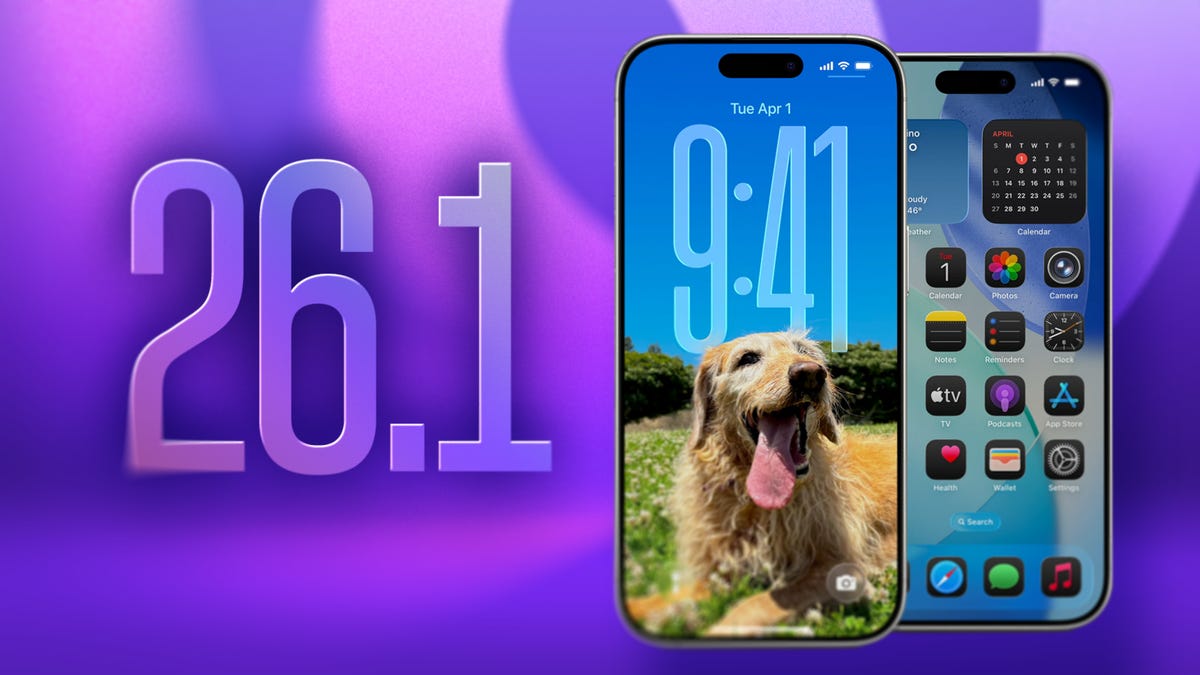
Apple has quietly changed the way software updates appear on iPhones still running iOS 18, and the shift sends a very clear signal: the company wants you on iOS 26.1. Instead of spotlighting the latest iOS 18 security update, the Software Update screen now promotes iOS 26.1 as the primary, recommended install, while the iOS 18 track gets pushed down the page.
iOS 26.1 Becomes the Default Path for iOS 18 Users
For months after iOS 26 launched, Apple treated it as a side path. On iPhones that stayed on iOS 18, the main tile in Settings > General > Software Update showed the newest iOS 18 patch, and iOS 26 sat underneath as an optional “Upgrade” card. That layout has now flipped. If you are still on iOS 18, you see iOS 26.1 at the top as the recommended update, and the iOS 18 update appears below in a secondary position.
This doesn’t force you to install iOS 26.1, but it changes the default story. Apple is no longer presenting iOS 26 as a “try it if you feel like it” release. It is positioning iOS 26.1 as the normal, expected destination for supported iPhones.
Why Apple Wants You Off iOS 18
There are practical reasons Apple wants more users to move on from iOS 18. Supporting multiple major versions at large scale increases complexity. Security patches have to be built and tested across different system architectures, new features need compatibility layers, and app behavior can vary widely depending on which version users run.
On top of that, iOS 26 introduced a major visual and interaction overhaul, powered by the new Liquid Glass design language. Many users hesitated to upgrade specifically because of that redesign. By pushing iOS 26.1 to the top of the Software Update page, Apple is signaling that the early-adopter period is over. In its view, this is the release that should define the current iPhone experience.
What Makes iOS 26.1 Different From iOS 26.0
iOS 26 was the big bang: new look, new animations, updated system behavior. iOS 26.1 is the refinement pass. Instead of introducing another wave of disruptive features, it focuses on smoothing things out. The 26.1 update stabilizes the Liquid Glass interface, cleans up visual glitches, and improves overall reliability after millions of users stress-tested the initial build.
By promoting iOS 26.1 specifically, Apple is effectively saying, “This is the version we stand behind for everyone.” If you were waiting for the first “safe” point release before upgrading from iOS 18, 26.1 is the build Apple clearly wants you to trust.
What You See Now in the Software Update Screen
If your iPhone is still on iOS 18 and you open Software Update today, the layout is simple but strategic. At the top, you see a large card inviting you to install iOS 26.1 as the recommended update. Below it, in a smaller and less prominent card, you see the option to install the latest iOS 18 security update.
You still have a choice, but the visual hierarchy is no accident. Apple is making the path to iOS 26.1 obvious and frictionless, while turning the iOS 18 track into a short-term alternative instead of the default.
How Long Will Apple Keep Updating iOS 18?
Apple has followed a consistent pattern in recent years: when a new major version ships, the previous one continues to receive security updates for a while. That remains true for iOS 18. If you’re not ready to embrace iOS 26, you can still stay on iOS 18 and install the latest security patch.
However, that window is not permanent for devices that can run iOS 26. At some point, Apple is expected to stop issuing new iOS 18 updates for modern iPhones and reserve ongoing support for older hardware that cannot upgrade. When that happens, staying on iOS 18 on a compatible device becomes more of a risk than a preference, because you’ll be missing the latest security protection.
Upgrading to iOS 26.1 Is a One-Way Move
Before you tap “Download and Install,” there’s a crucial detail to remember: upgrading from iOS 18 to iOS 26.1 is effectively permanent. Apple does not offer an official way to downgrade from one major iOS generation to the previous one.
That one-way door matters more with a release like iOS 26, where the look, feel, and navigation patterns change significantly. If you move to iOS 26.1 and decide you hate the new design, you can’t simply roll your iPhone back to iOS 18. You’re committing to learning the new interface and living with the updated behavior day to day.
Security and Privacy as the Real Pressure Point
While the redesign gets most of the attention, security and privacy are driving a lot of Apple’s behavior here. Each major iOS release brings new protections: better sandboxing, more modern cryptographic defenses, tighter control over app permissions, and smarter defaults around sensitive data.
As time goes on, those improvements tend to cluster around the current major version. Apple eventually expects modern hardware to run the latest architecture so it can focus on patching a single, up-to-date surface. The decision to make iOS 26.1 the recommended update for iOS 18 users is part of that strategy. The longer you stay on iOS 18 on a capable device, the more you drift away from the security and privacy baseline Apple wants to maintain.
What This Means for Everyday iPhone Users in the US
For most iPhone owners in the US, the change shows up as a small but persistent nudge. Every time you check for an update on iOS 18, your phone effectively asks whether you’re ready to move to iOS 26.1. The older track is no longer presented as the natural choice.
If you prioritize stability and familiarity, you might stay on iOS 18 for a little longer and keep installing its security patches. If you care more about long-term support, future app compatibility, and access to new features, you’re going to end up on iOS 26.1 or a later 26-series build sooner rather than later.
Where Apple’s Strategy Is Clearly Headed
The new Software Update layout reveals the phase Apple is in. First, it launched iOS 26 and let early adopters test the waters. Then it shipped iOS 26.1 to polish the experience. Now it has elevated that release to “default” status for iOS 18 devices. The likely next step is simple: over time, iOS 18 will fade from the update options on supported phones, and iOS 26 will become the only actively supported path.
If your iPhone can run iOS 26.1, Apple has made its expectations clear. From the company’s point of view, the present and future of iPhone software live on iOS 26, and iOS 18 is just a temporary stop on the way there.